Support AI Copilot
Thanks to the integration of our Fleet Copilot into the support process, we achieved a 30% reduction in the number of support tickets created.
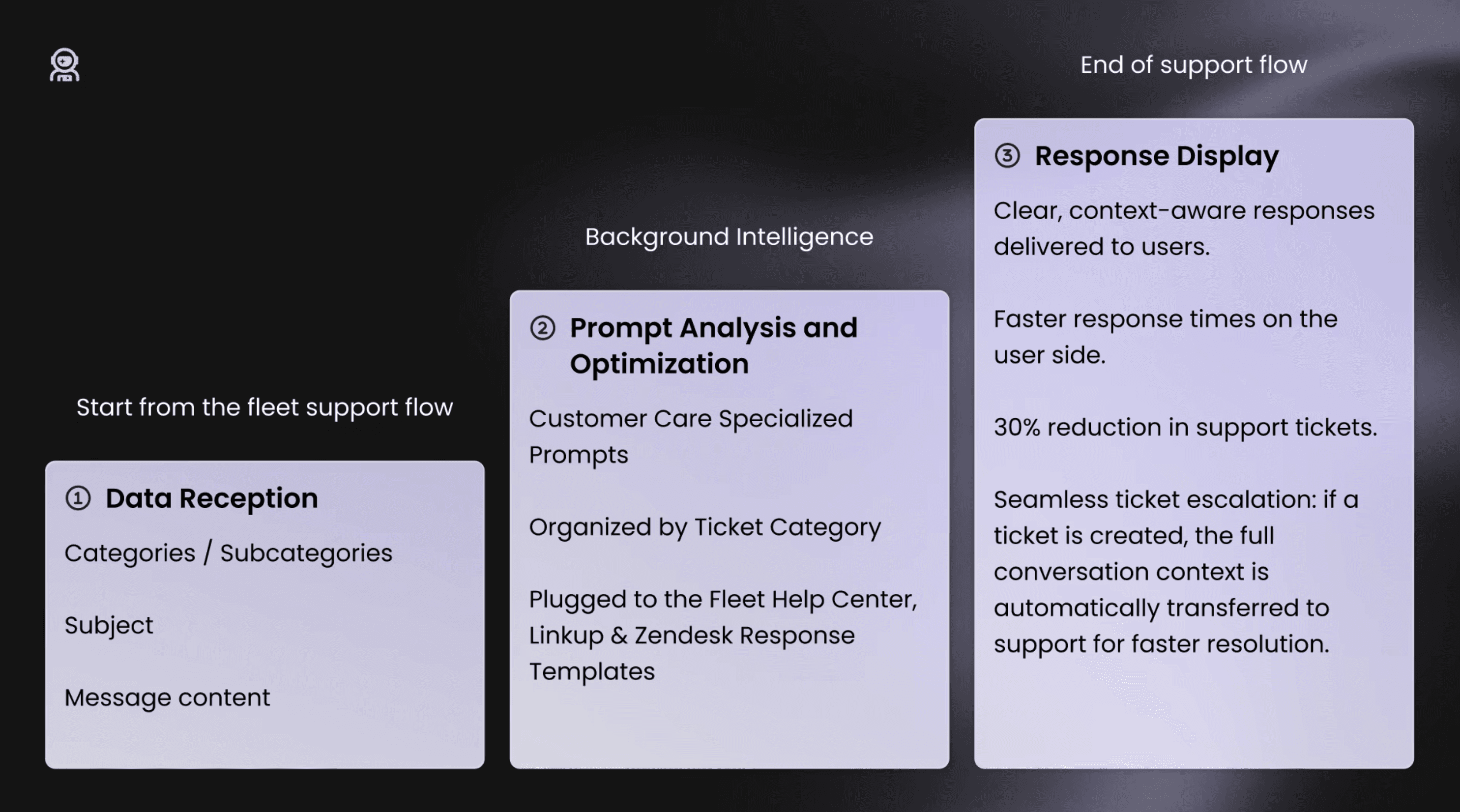
Redesigned Fleet's support bot from scratch. Users now get instant answers. When they need a human, the handoff is one click — and nothing gets lost.
Background
A chatbot that didn't help, and had no way out
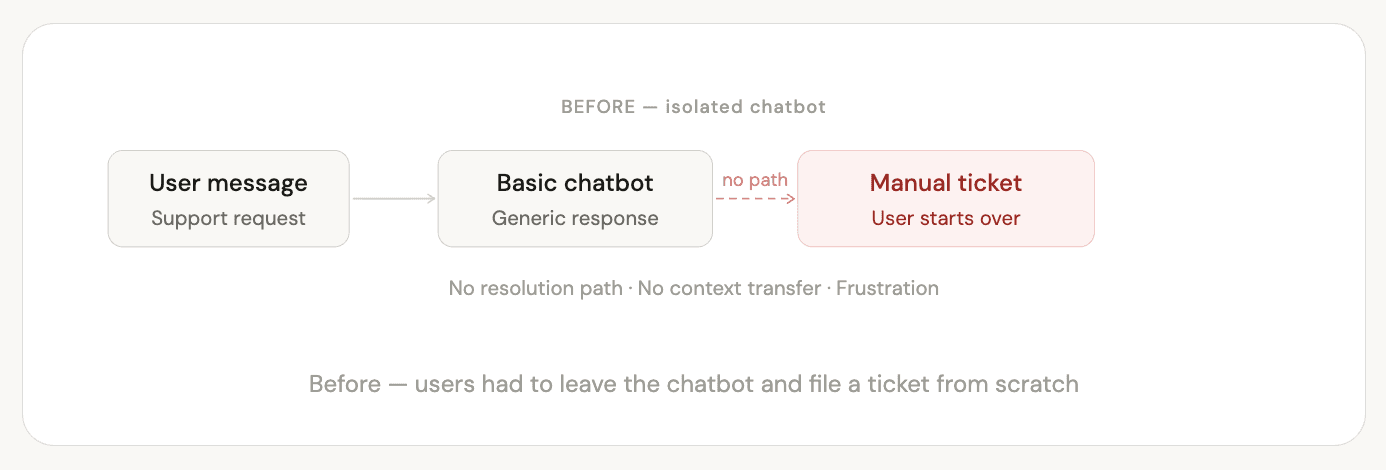
Fleet had a chatbot in the platform. It gave generic answers and had no option to create a ticket. Users who didn't get what they needed had to start over manually.
Two goals drove this project: give users fast answers to simple questions, and reduce the number of tickets the support team had to handle.
Discovery
Understanding the problem before designing the solution
Ticket analysis
Looked at past support tickets to find the most common questions. This helped define what the AI should handle — and how to structure the prompts by category.
Support team interviews
Talked with ops and support to understand real workflows — which questions could be answered automatically, and what information agents needed when a ticket came in.
Technical scoping with engineering
Worked with developers to understand how the AI would work — data vectorization, knowledge sources (Help Center, Linkup, Zendesk templates) — and what was realistic to build.
Learning
Three things that shaped the design
The bot needs to know when to stop
Some questions need a real person. An AI that can't hand off cleanly creates more frustration than having no AI at all.
Creating a ticket must always be possible
Users needed to stay in control. The copilot is there to help — not to block access to human support.
Context must carry over
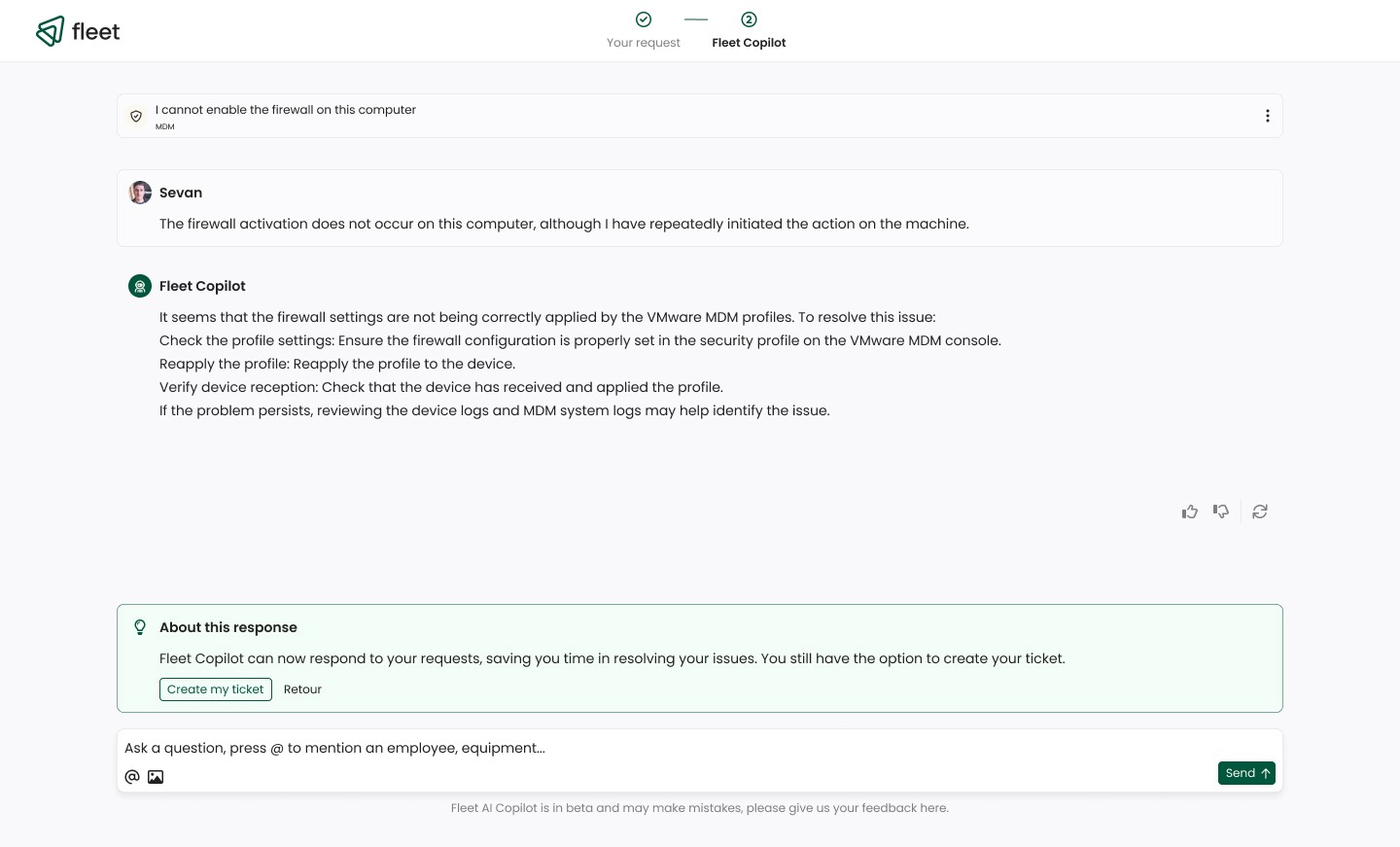
When a user creates a ticket after a conversation, the support agent should already know what was said. No repeating, no re-explaining.
Solution
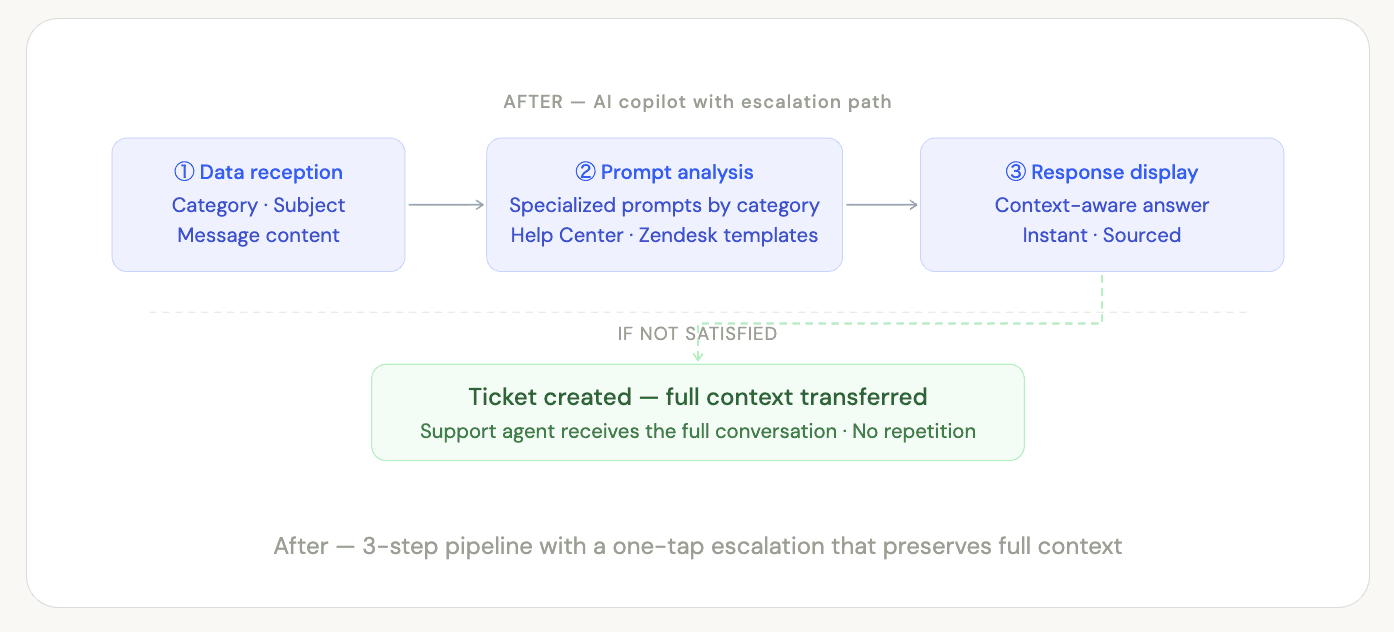
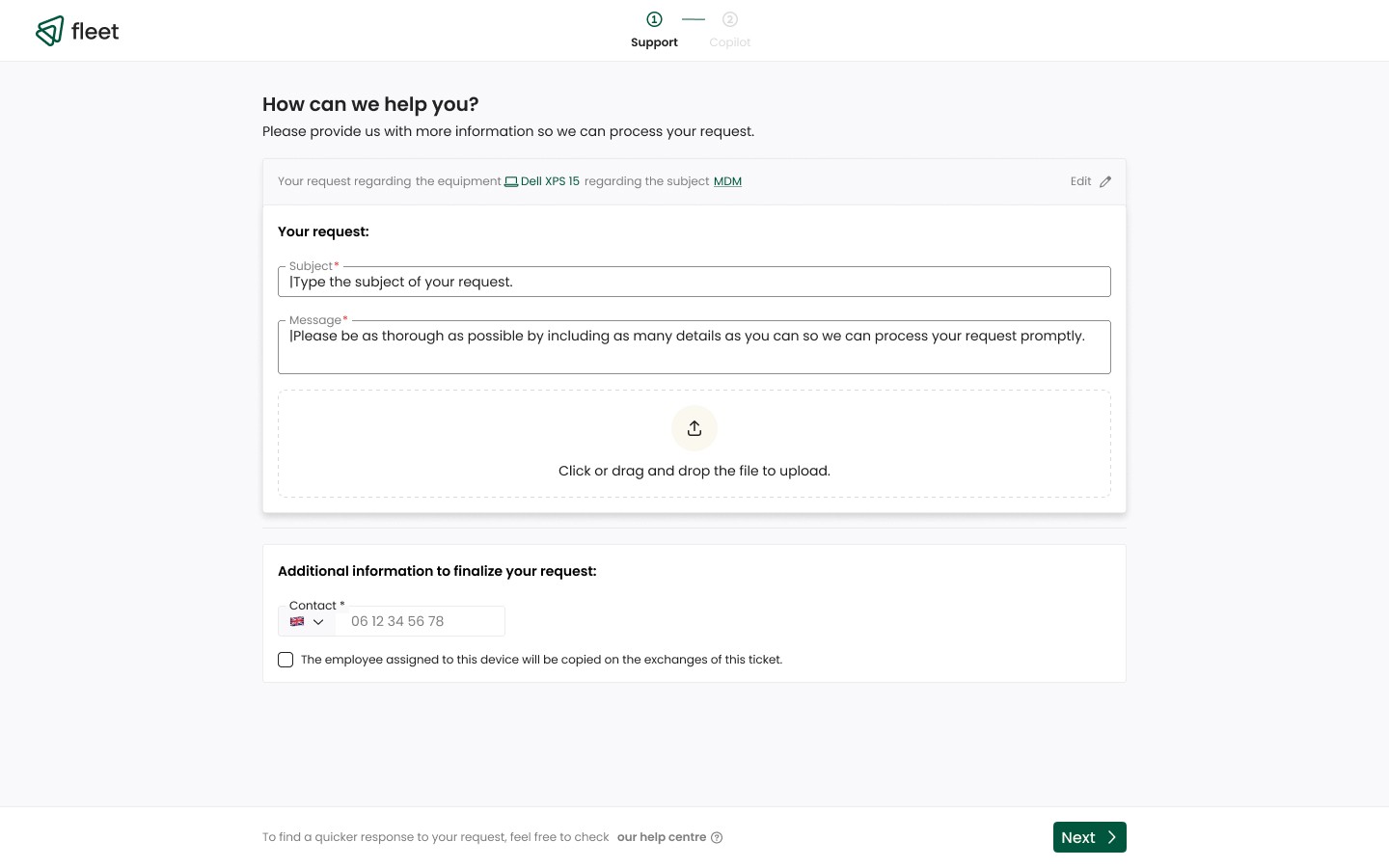
A 3-step AI flow with a built-in exit
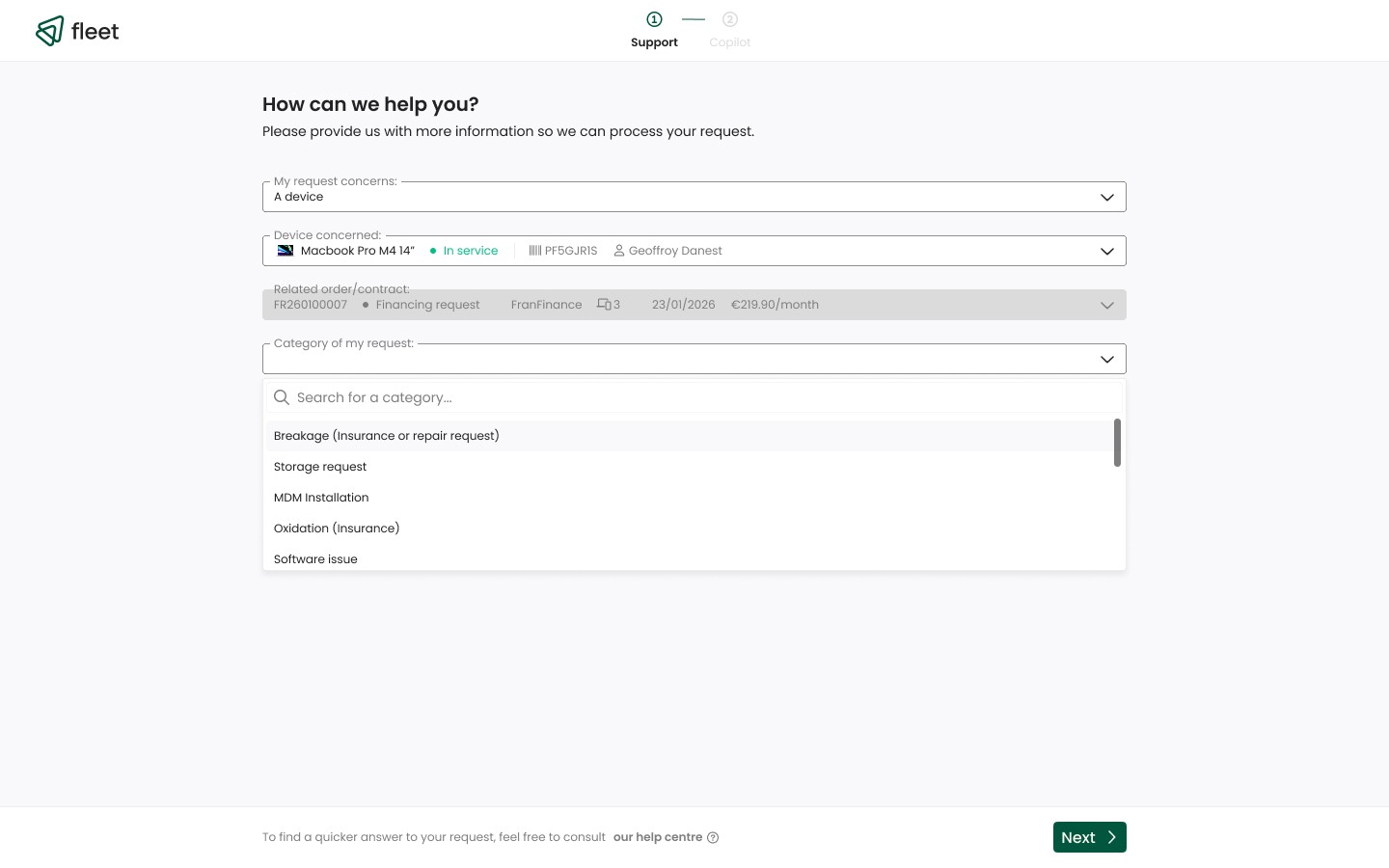
The copilot reads each support request, matches it to the right prompts, and returns a clear answer — sourced from Fleet's Help Center, Linkup, and Zendesk templates. If the user isn't satisfied, they can open a ticket in one click.
Key design decision
When a ticket is created, the full conversation is sent to the support agent automatically. They already know the context — no need for the user to repeat anything.
Impacts
Less tickets. Happier users. Lighter support load.
−30% Support tickets : resolved by the copilot before reaching the team
User satisfaction : fast answers to common questions
Support team : fewer simple tickets, more time for complex cases